
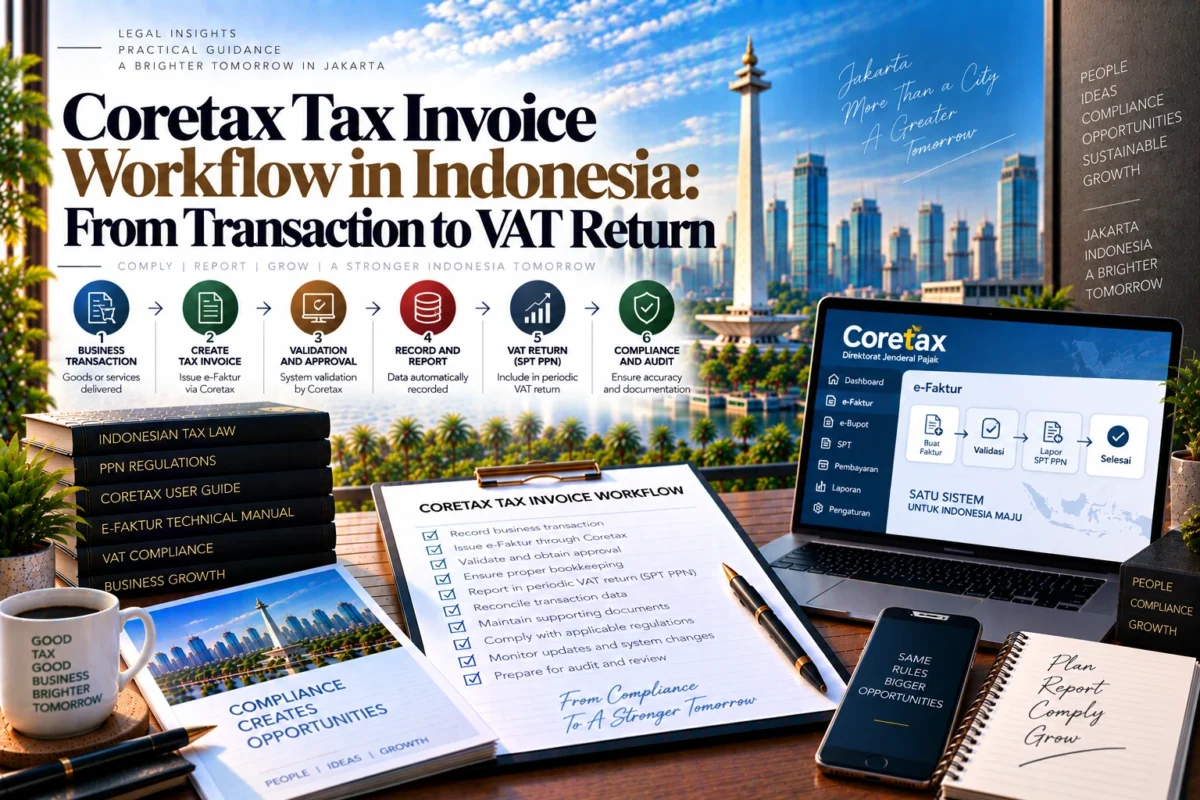
A Coretax tax invoice should be treated as part of a complete VAT workflow, not as an isolated document-entry task. For a PKP business, the practical sequence runs from identifying the taxable transaction, validating buyer and transaction data, creating or importing the invoice, completing approval, handling any correction, reconciling input and output invoices, and finally preparing the VAT return.
For businesses that need support beyond this guide, Jakarta Legal ID provides the broader corporate-compliance context, its Financial & Tax Consulting service covers bookkeeping and tax-filing support, and its Accounting Services for SMEs guide explains how bookkeeping, VAT reporting and financial records fit into ongoing business administration.
DJP describes Coretax as an integrated tax-administration system covering core processes such as taxpayer registration, tax-return filing, payment and other tax-administration services. That integration is why invoice quality affects more than the PDF sent to a customer: the same data can affect the taxpayer’s downstream VAT administration.
Coretax Tax Invoice Workflow: The Process at a Glance
A reliable Coretax tax invoice workflow can be organized into seven control points: identify the invoice trigger and tax period, validate transaction data, create or import the invoice, complete approval, check the buyer-side position, correct or cancel errors when necessary, and reconcile everything before VAT reporting.
The principal current technical rule for this workflow is PER-11/PJ/2025, which has been effective since 22 May 2025 and remains listed as active by the Ministry of Finance legal database.
The broader Coretax framework remains Minister of Finance Regulation No. 81 of 2024, which is still in force but has been amended multiple times, most recently by Minister of Finance Regulation No. 1 of 2026.
For finance teams, this means current workflow decisions should be based on current Coretax guidance and the current version of the applicable tax rules rather than an early-2025 screenshot or an old e-Faktur Desktop procedure.
Step 1 — Confirm the Tax-Invoice Trigger and Tax Period
The first control happens before anyone logs into Coretax. Establish what transaction occurred and which tax period the invoice belongs to.
This matters because the tax date should follow the applicable VAT rules for the transaction, not the date on which the accounting team happens to find time to enter the invoice. Sales, finance and tax teams should therefore agree on the underlying evidence—such as delivery, service performance, advance payment or another relevant transaction event—before invoice creation begins.
If the company discovers an old transaction only after a later tax period has started, it should not simply use the later processing date as a substitute for the legally relevant transaction date. The correct treatment should be reviewed before the invoice is approved and included in VAT reporting.
Step 2 — Validate Buyer and Transaction Data
Most avoidable invoice problems start with master data rather than tax calculations.
Before creating the invoice, reconcile the buyer’s identity, tax identification data, address, transaction description, taxable amount, applicable invoice code, tax treatment and the company’s own branch or business-unit information where relevant.
This check is especially important when information moves automatically from an ERP, accounting system, spreadsheet or sales platform into the tax workflow. A commercially correct invoice can still produce a tax-administration problem if buyer identity or tax treatment is mapped incorrectly.
The useful principle is simple: correct the source data before approval wherever possible. Correcting an approved tax invoice is normally more disruptive than correcting a draft or import file.
Step 3 — Create the Invoice Manually or Import XML
Coretax supports more than one operating pattern, so the right route depends partly on transaction volume and internal systems.
DJP’s current Coretax resource page provides official guides for output tax invoices, input tax invoices and VAT returns, as well as templates and supporting materials for electronic data processing.
Manual Creation
Manual entry is useful for lower-volume businesses, unusual transactions or invoices requiring individual review. The finance user can create an output invoice in the e-Faktur area, enter the transaction and counterparty information, review the calculated values and move the document through the appropriate approval process.
Manual entry should not become an excuse to skip reconciliation. A second-person review can be useful for high-value or unusual transactions before the invoice is finalized.
XML Import
For higher volumes, manual keying creates unnecessary repetition and increases the risk of inconsistent entry.
For businesses with higher transaction volumes, DJP also publishes an official XML invoice-upload mechanism, allowing invoice data to be prepared outside the individual manual-entry flow and imported into the output-tax module.
XML import changes the data-entry method, not the compliance responsibility. Before uploading, the company should validate the file structure and reconcile key totals against the source sales ledger. After importing, review system status and rejected records rather than assuming that a successful file upload means every transaction has become a valid approved invoice.
Step 4 — Review and Complete Invoice Approval
A useful accounting distinction is the difference between data that has been entered and a tax invoice that has completed the required system process.
The finance team should monitor invoice status after creation or import and confirm that the intended invoices have been successfully processed. Unapproved, rejected or incomplete documents should remain on an exception list until resolved.
Approval control is also where user access matters. Businesses should ensure that the person responsible for completing tax-invoice actions has the appropriate Coretax access, authorization and internal approval authority before month-end pressure begins.
For system-specific questions, DJP maintains Coretaxpedia, including guidance topics on invoice creation, XML processing, invoice approval, replacement or cancellation, input-tax crediting and VAT-return preparation.
Step 5 — Check the Buyer-Side and Input-Tax Position
Coretax connects sellers and buyers more closely than a workflow in which each side maintains an entirely separate local invoice database.
DJP has explained that the Coretax architecture is intended to let tax-invoice data flow into the relevant VAT return through prepopulation, as described in its written clarification on input-tax crediting after Coretax implementation.
For sellers, that increases the importance of accurate buyer identification and transaction data. For buyers, invoice review should form part of the monthly accounts-payable and tax reconciliation rather than being left until the VAT return is about to be filed.
DJP’s current written clarification also states that Coretax was updated so that e-Faktur input tax may be credited in the same tax period or in up to the next three tax periods, provided the applicable statutory conditions are met.
That flexibility should not replace monthly reconciliation. A buyer should still investigate missing, duplicated, incorrect or disputed invoices promptly because delayed correction can affect both accounting records and VAT reporting.
Step 6 — Handle Errors Through Replacement or Cancellation
Errors should be classified before someone chooses a correction method.
A wrong description, amount, buyer identity, tax treatment or transaction that should not have been invoiced can require different treatment depending on the facts and the status of the original invoice. The finance team should determine whether the issue requires replacement, cancellation or another permitted correction procedure rather than deleting accounting evidence or issuing an unrelated second invoice.
The buyer’s position also matters. Once a document has entered the counterparty’s workflow, changes can affect the buyer’s input-tax treatment and VAT reconciliation. Communication with the counterparty should therefore be part of the correction process for material errors.
DJP’s Coretaxpedia includes dedicated current topics for invoice approval, replacement or cancellation and statuses associated with amendments and cancellations, which makes the official Coretaxpedia a useful operational reference when a document moves outside the normal workflow.
Step 7 — Reconcile Before Preparing the VAT Return
The strongest month-end control is not simply asking whether all invoices were issued. It is reconciling the tax system against the commercial and accounting records.
Compare the output-tax invoice population with the sales ledger and investigate sales that do not have the expected tax document. Compare input-tax records against accounts payable and identify invoices that are missing, duplicated, rejected, not creditable or assigned to a different tax period. Review replacements, cancellations and returns separately so the accounting movement can be traced to the Coretax document status.
Only after those exceptions are understood should the team finalize the VAT-return workflow. Prepopulation can reduce repetitive entry, but the taxpayer still needs to confirm that system-populated data correspond with the company’s actual books and transactions.
Internal Controls for a Reliable Coretax Workflow
A workable internal process does not need to be complicated. It does need clear ownership.
Sales or operations should supply accurate transaction evidence. Finance should maintain reliable customer and transaction master data. The tax preparer should create or import invoices and maintain an exception list. An authorized reviewer should monitor approval and unusual tax treatments. Before VAT reporting, the company should reconcile output invoices to sales, input invoices to purchases, and corrected documents to the underlying accounting entries.
For companies using spreadsheets or ERP exports, preserve the source file used for each upload and the reconciliation showing how its totals tie back to the ledger. That creates an audit trail when an invoice must later be investigated.
The same principle applies to system changes. Coretax functionality continues to evolve, and DJP states on its official Coretax page that guidance may change with regulatory and system development. Finance teams should therefore use current official instructions instead of treating an old internal screenshot as permanent procedure.
Conclusion
A Coretax tax invoice workflow is strongest when invoice creation is treated as one stage of a wider VAT control process. Start with the legally relevant transaction, validate the customer and tax data, choose manual entry or XML import according to the transaction volume, monitor approval, review the counterparty position, resolve corrections properly and reconcile all documents before the VAT return is finalized.
The main operational risk is not simply forgetting to click a Coretax button. It is allowing sales data, tax-invoice data and accounting records to diverge. A repeatable transaction-to-return reconciliation process makes those differences visible before they become a filing problem.
Review Your Coretax and VAT Reporting Workflow
If your business in Jakarta needs to align Coretax tax invoices with bookkeeping, monthly VAT reconciliation and broader tax compliance, Jakarta Legal ID can be consulted to review the workflow and identify documentation or reporting gaps.
Tax and bookkeeping support can also be considered where invoice data needs to be reconciled with the general ledger and recurring VAT filings.
FAQ – Coretax Tax Invoice Workflow in Indonesia
Is creating a tax invoice in Coretax the final step?
No. Businesses should also monitor the invoice’s system status, resolve rejected or incorrect documents, reconcile the invoice with accounting records and confirm that the correct data flow into the relevant VAT reporting period.
Can a company upload Coretax tax invoices in bulk?
DJP provides an XML-based import mechanism for output tax invoices. This is useful for higher-volume businesses, but the company should validate the XML data and reconcile imported records against the sales ledger before treating the process as complete.
Does Coretax prepopulate tax invoices into the VAT return?
DJP has explained that tax-invoice data in Coretax are designed to support prepopulation in the VAT-return process. Businesses should still reconcile the prepopulated information against their own accounting and transaction records.
Can input VAT be credited in a later tax period?
DJP has stated that Coretax was updated so qualifying e-Faktur input tax can be credited in the same period or up to the next three tax periods, subject to the applicable statutory conditions.
What should a business do if an approved invoice is wrong?
First identify the type of error and the status of the original invoice. Depending on the facts, the appropriate route may involve replacement, cancellation or another permitted correction process. The buyer-side tax position should also be considered before the correction is completed.
References & Sources
- Coretax — Official DJP Resource and Guidance Hub — pajak.go.id
- PER-11/PJ/2025 — Tax Reporting Rules Under the Core Tax Administration System — jdih.kemenkeu.go.id
- Minister of Finance Regulation No. 81 of 2024 — Core Tax Administration Rules — jdih.kemenkeu.go.id
- Minister of Finance Regulation No. 1 of 2026 — Fourth Amendment to PMK 81/2024 — jdih.kemenkeu.go.id
- Official Coretax XML Tax-Invoice Upload Mechanism — pajak.go.id
- DJP Written Clarification on Input-Tax Crediting After Coretax Implementation — stats.pajak.go.id
- Coretaxpedia — Official DJP Operational Guidance — pajak.go.id
Recommended Next Articles
- accounting, VAT reporting and bookkeeping for SMEs — jakartalegalid.com